Kaspersky PURE, Kaspersky Internet Security 2010 and Kaspersky Anti-Virus 2010 are fully compatible with Microsoft’s newest operating system.
License Renewal Centre - UK & Ireland
Welcome to the Kaspersky Lab License Renewal Centre
Renewal Price List
Kaspersky PURE
from
£41.24
was
£54.99
Kaspersky Internet Security
from
£31.99
was
£39.99
Kaspersky Anti-Virus
from
£25.49
was
£29.99
Kaspersky Anti-Virus for Mac
from
£33.99
was
£39.99
Kaspersky Mobile Security
from
£16.99
was
£19.99
To get your renewal discount, please enter your license number above and click on the Renew Now button. The Screenshots and
Frequently Asked Questions
below will help you to locate your license number in your product.
Please Note: Your "license information" is NOT your activation code. Enter your number, with dashes (-), in this format: XXXX-XXXXXX-XXXXXXXX
Make sure you don't confuse numbers with letters: i.e. O/0 (letter 'o'/zero); B/8 (letter 'b'/eight) or I/1 (letter 'i'/one) etc. If you are not sure which is correct, it is advisable to enter a number rather than a letter.
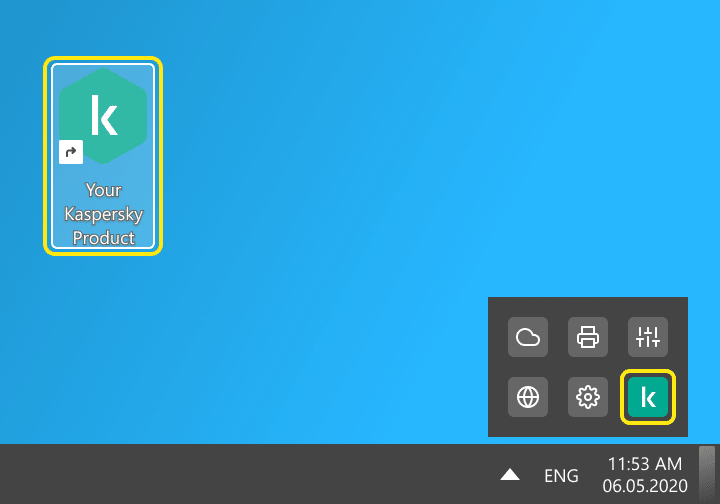
Open your Kaspersky PURE application. You can do so by clicking on the 'K' icon in the bottom right-hand corner of your screen in the system tray near the clock.
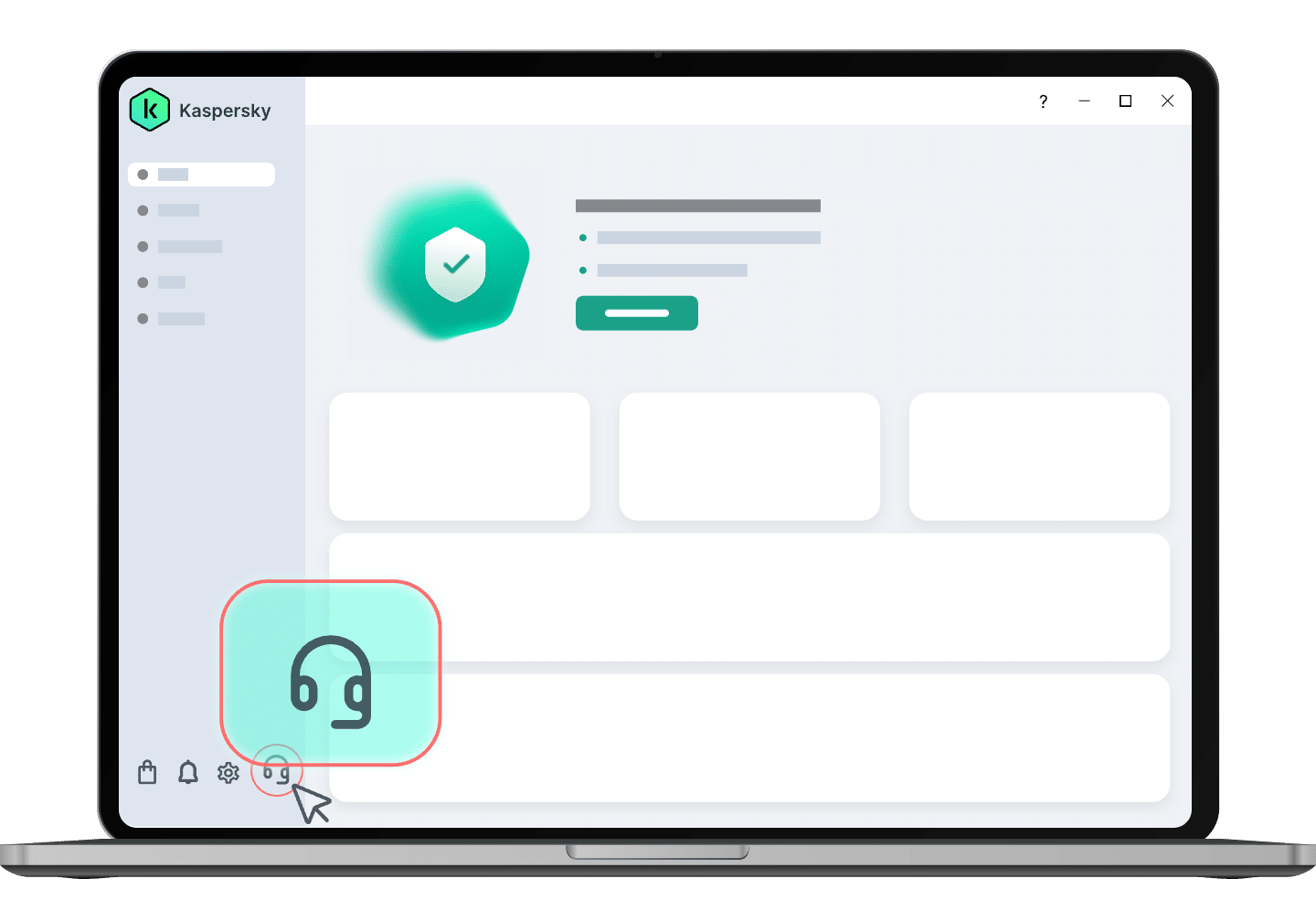
Click on License, which can be found along the bottom of the window within the main window of Kaspersky PURE. A new License Manager window will then appear.
Next, click on 'Renew License' in that window, which should then automatically pick up your license number and take you to a page where you can renew your product. If you see this current entry webpage again though, you can enter your license information manually in the entry box near the top of this page. Your license information is displayed in that same window of your product in the format XXXX-XXXXXX-XXXXXXXX.
Kaspersky Internet Security 2011 / Kaspersky Anti-Virus 2011
Open your Kaspersky Lab application. You can do so by clicking on the 'K' icon in the bottom right-hand corner of your screen in the system tray near the clock.
Click on License, which can be found in the bottom-right corner of the main window of the application. A new License Management window will then appear.
Next, click on 'Renew License' in that window, which should then automatically pick up your license number and take you to a page where you can renew your product. If you see this current webpage again, you can enter your license information manually in the entry box near the top of this page. Your license information is displayed in that same window of your product in the format XXXX-XXXXXX-XXXXXXXX.
Kaspersky Internet Security 2010 / Kaspersky Anti-Virus 2010
Open your Kaspersky Lab application. You can do so by clicking on the 'K' icon in the bottom right-hand corner of your screen in the system tray near the clock.
Click on License, which can be found along the bottom of the window within the main window of the application. A new License Manager window will then appear.
Next, click on 'Renew License' in that window, which should then automatically pick up your license number and take you to a page where you can renew your product. If you see this entry page again, you can enter your license information manually in the entry box near the top of this page. Your license information is displayed in that same window of your product in the format XXXX-XXXXXX-XXXXXXXX.
Kaspersky Internet Security 2009 / Kaspersky Anti-Virus 2009
Open your Kaspersky Lab application. You can do so by clicking on the 'K' icon in the bottom right-hand corner of your screen in the system tray near the clock.
Click on the License tab in the bottom left-hand corner of the main window of your application. Next, click on 'Renew License' in that window, which should then automatically pick up your license number and take you to a page where you can renew your product.
If you see this current entry page again, you can enter your license information manually in the entry box near the top of this page. Your license information is displayed in that same window of your product in the format XXXX-XXXXXX-XXXXXXXX.
Kaspersky Internet Security 7.0 / Kaspersky Anti-Virus 7.0
Open your Kaspersky Lab application. You can do so by clicking on the 'K' icon in the bottom right-hand corner of your screen in the system tray near the clock.
Click on the Activation menu in the main window of your application. Your License information will appear under the heading Installed keys in the format XXXX-XXXXXX-XXXXXXXX.
Kaspersky Internet Security 6.0 / Kaspersky Anti-Virus 6.0
Open your Kaspersky Lab application. You can do so by clicking on the 'K' icon in the bottom right-hand corner of your screen in the system tray near the clock.
Click the Service menu in the main window of your application. Your License information will appear in the License info section next to the heading Number in the format XXXX-XXXXXX-XXXXXXXX.
Kaspersky Mobile Security 9
Windows Mobile
Open your Kaspersky Lab application. Select Menu, then Additional and then About license. Your License information will appear in the format XXXX-XXXXXX-XXXXXXXX.
Symbian
Open your Kaspersky Lab application. Select OK on the Status screen, then Options -> Open Window -> Additional -> License, then open the About License sub-menu. Your License information will appear in the format XXXX-XXXXXX-XXXXXXXX.
Kaspersky Mobile Security 8
Windows Mobile
Open your Kaspersky Lab application. Select Menu, then Information and then About license. Your License information will appear in the format XXXX-XXXXXX-XXXXXXXX.
Symbian
Open your Kaspersky Lab application. Select OK on the Status screen, then Options -> Open Page -> Info page, then open the License Info sub-menu. Your License information will appear in the format XXXX-XXXXXX-XXXXXXXX.
You will receive at least 20% off the regular price for all products in the License Renewal Centre. You will be able to renew your license for your current product, or you can upgrade to another product. And, as an existing Kaspersky user, you will also be able to buy other Kaspersky Lab products with a 20% discount!
This is entirely your choice - we recommend that you choose the product that suits your needs best.
Kaspersky PURE goes beyond simple protection against internet threats and gives you complete protection against all kinds of digital protection. Provides full online protection, protects your password database, encrypts your storage, and includes full parental control, anti-spam protection, a two-way firewall, file shredder and much, much more.
Kaspersky Internet Security has everything you need for a safe and secure Internet experience. All the features and technologies of Kaspersky Anti-Virus are included in this product, along with a personal two-way firewall, anti-spam protection, safe-run mode for programs and websites, parental control, and more.
Kaspersky Anti-Virus acts as the backbone of your PC’s security system - offering protection from a range of IT threats and provides the basic tools needed to protect your PC.
Click here to see a full list of the differences between these three main Kaspersky Lab solutions for PC protection.
In addition, you can also purchase Kaspersky Anti-Virus for Mac for your Apple computer, Kaspersky Mobile Security for your smartphone and more.
Your License Number is your product's unique identifier. It can be found in the License window in the interface of your Kaspersky product. Use the screenshots above to help if you are having trouble finding it. Remember, it DOES NOT mean your activation code with which you first activated your product.
All these terms mean the same thing, i.e. the unique identifier for your particular Kaspersky license. Different terms were used in different product versions.
If your license has expired, you cannot receive up-to-date protection for your computer. Because thousands of new malicious programs appear every day, it would be virtually impossible to remain protected without regular antivirus database updates. That is why we strongly recommend renewing your license before it expires.