Renew your licence to stay protected

Find your licence key right now
Follow these steps below to find your licence key
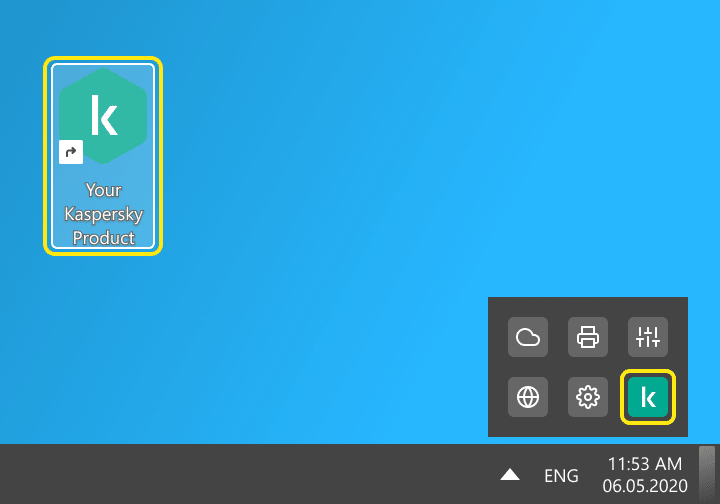
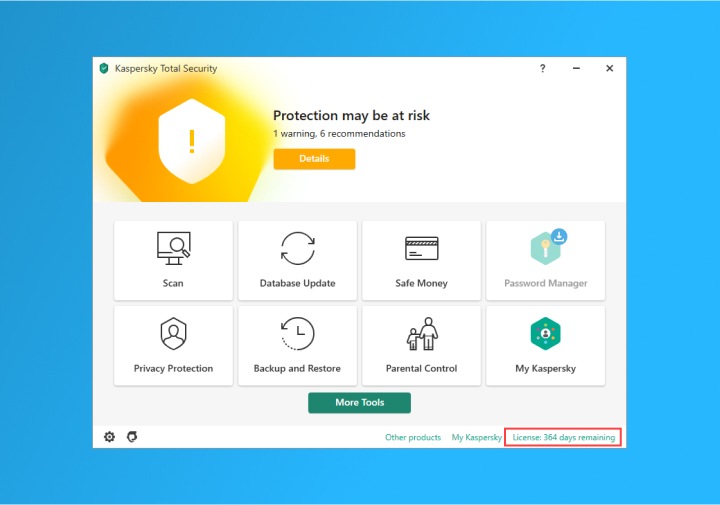
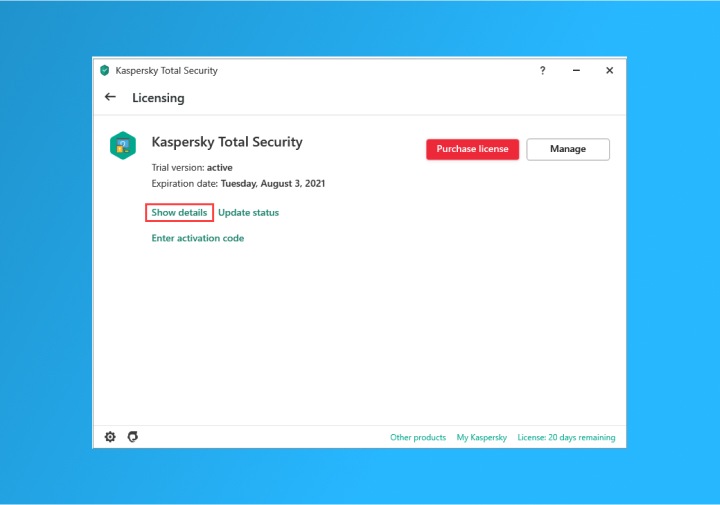
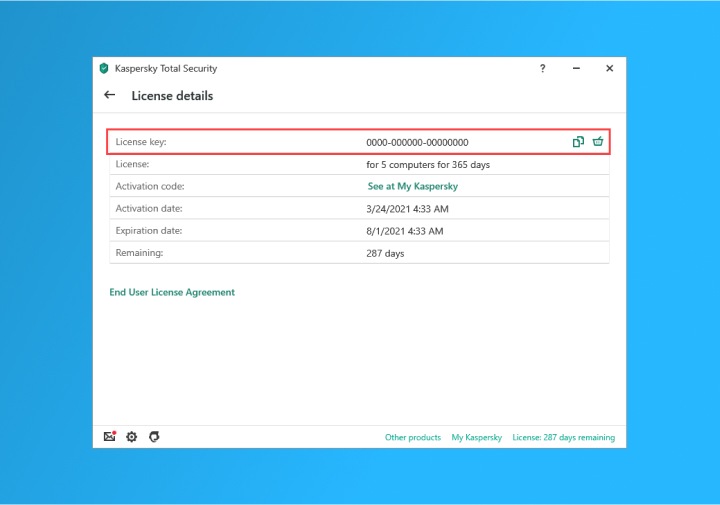
 in the licence window to copy the Licence key.
Frequently Asked Questions
Your trust, proven daily.
The numbers from last year speak for themselves
- 5.3Bn
- cyberattacks detected
- 500K
- malicious files discovered daily
- 27%
- of users faced web threats
Live your best digital life
Whether you only want to cover the essentials or need high-level support for the whole family, we have a plan for you.
| Best Value | ||
|---|---|---|
| Premium Plan | Plus Plan | Standard Plan |
 Kaspersky PremiumTotal Security Kaspersky PremiumTotal Security |  Kaspersky PlusInternet Security Kaspersky PlusInternet Security |  Kaspersky StandardAntivirus Kaspersky StandardAntivirus |
Anti-Virus, Anti-Malware and Anti-Ransomware Protection | Anti-Virus, Anti-Malware and Anti-Ransomware Protection | Anti-Virus, Anti-Malware and Anti-Ransomware Protection |
Safe Web Browsing | Safe Web Browsing | Safe Web Browsing |
Existing Virus Removal | Existing Virus Removal | Existing Virus Removal |
Anti-Phishing | Anti-Phishing | Anti-Phishing |
Two-Way Firewall | Two-Way Firewall | Two-Way Firewall |
Performance Optimisation | Performance Optimisation | Performance Optimisation |
Device Space Cleanup | Device Space Cleanup | Device Space Cleanup |
App Management | App Management | App Management |
Do Not Disturb Mode | Do Not Disturb Mode | Do Not Disturb Mode |
Online Payment Protection | Online Payment Protection | Online Payment Protection |
Stalkerware Detection | Stalkerware Detection | Stalkerware Detection |
Crypto Threat Protection | Crypto Threat Protection | feature isn't included Crypto Threat Protection |
Hard Drive Health Monitor | Hard Drive Health Monitor | feature isn't included Hard Drive Health Monitor |
Data Leak Checker | Data Leak Checker | feature isn't included Data Leak Checker |
Unlimited & Fast VPN | Unlimited & Fast VPN | feature isn't included Unlimited & Fast VPN |
Password Manager | Password Manager | feature isn't included Password Manager |
Password Safety Check | Password Safety Check | feature isn't included Password Safety Check |
Identity Protection Wallet | feature isn't included Identity Protection Wallet | feature isn't included Identity Protection Wallet |
Remote Access Detection | feature isn't included Remote Access Detection | feature isn't included Remote Access Detection |
Smart Home Monitor | feature isn't included Smart Home Monitor | feature isn't included Smart Home Monitor |
24/7 Remote IT Support | feature isn't included 24/7 Remote IT Support | feature isn't included 24/7 Remote IT Support |
Expert Virus Check & Removal | feature isn't included Expert Virus Check & Removal | feature isn't included Expert Virus Check & Removal |
Expert PC Health Check | feature isn't included Expert PC Health Check | feature isn't included Expert PC Health Check |
Kaspersky Safe Kids | feature isn't included Kaspersky Safe Kids <br>1 YEAR FREE | feature isn't included Kaspersky Safe Kids <br>1 YEAR FREE |

Most tested. Most awarded.
Over the last year, Kaspersky products appeared in 100 independent comparative tests - winning 93 first-place awards.
- Top Rated Product

- Absolute Threat Protection
- Advanced Threat Protection
- Absolute Android Protection

Renew your licence to stay protected