What are WhatsApp scams?
WhatsApp scams are fraudulent messages or other interactions designed to steal money, personal information, or gain access to an account.
Most rely on social engineering rather than a technical weakness in WhatsApp itself. Scammers may impersonate a trusted person or organization, use phishing links to collect information, or create a convincing story that pressures someone into sending money or revealing a verification code.
WhatsApp is attractive to scammers because it is widely used and allows direct and immediate contact. A message can also appear more convincing when it includes a familiar name or genuine personal details, like a profile picture.
WhatsApp uses end-to-end encryption to protect message contents in transit. This encryption does not prove that the person sending a message is who they claim to be. A scammer can still create a fake account, impersonate someone else, or take control of a legitimate account.
- WhatsApp scams are designed to steal money, personal information, or account access.
- Most rely on social engineering, phishing, or impersonation rather than breaking WhatsApp's encryption.
- A familiar name, profile picture, or personal detail does not prove that a sender is genuine.
- Scammers may use fake accounts or compromised legitimate accounts to make messages appear trustworthy.
- Never share WhatsApp verification codes or PINs with another person, even if they claim to be from WhatsApp or someone you know.
- Suspicious links, urgent requests, and unexpected demands for money should always be treated cautiously.
What are the most common types of WhatsApp scams?
WhatsApp scams usually fall into a few broad groups. Some rely on impersonation, some use phishing links or fake websites, and some build trust over time before asking for money or sensitive information.
Impersonation and account takeover scams
Impersonation scams involve someone pretending to be a trusted contact, company, or WhatsApp itself. A common example is the “Hi Mom, this is my new number” message. This is where a scammer claims to be a family member and later asks for money.
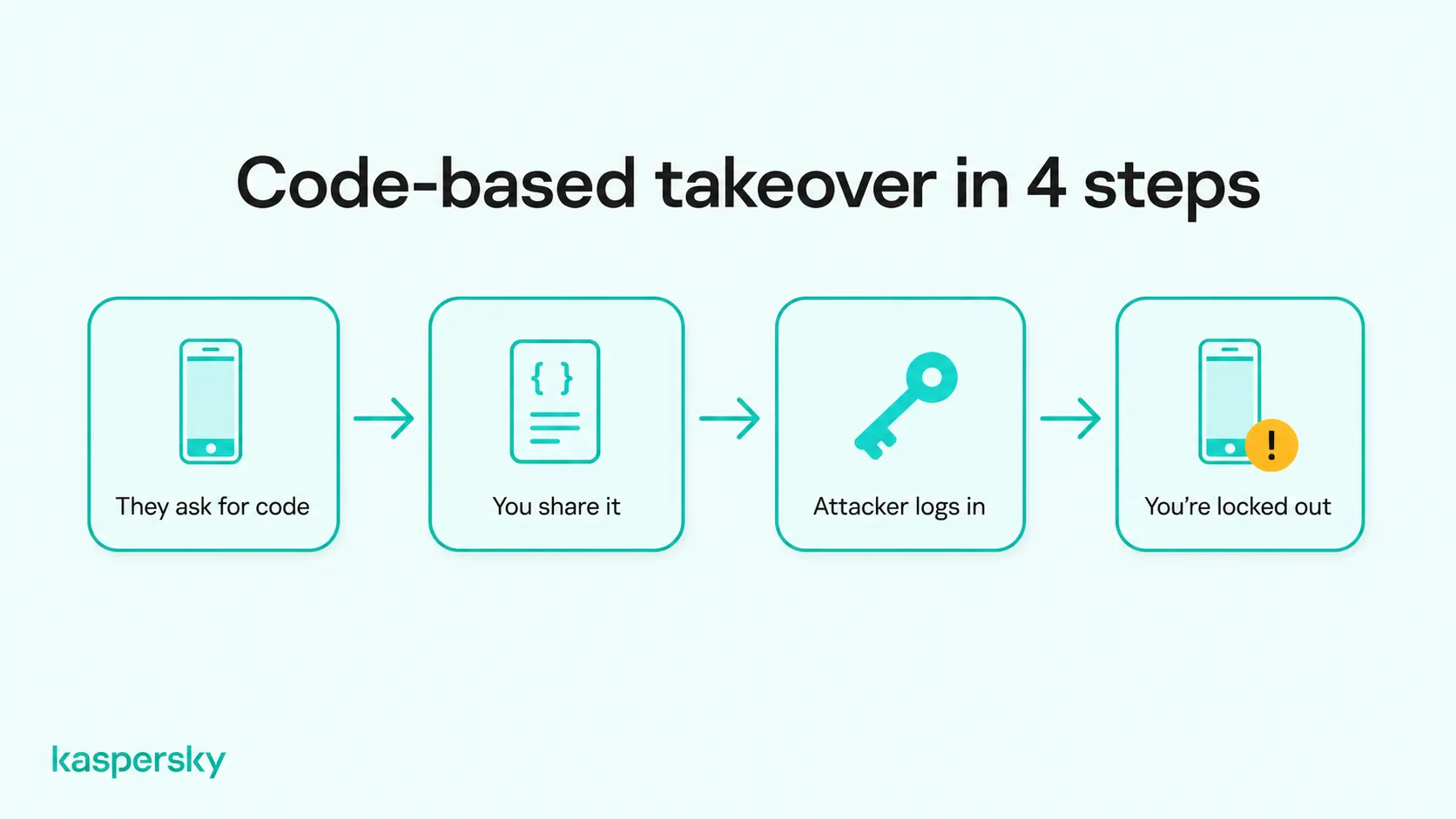
Account takeover is different because the attacker gains access to a real WhatsApp account. One method is to trick someone into sharing the six-digit verification code sent by WhatsApp. Scammers may also use deceptive QR codes or device-linking requests to connect an unauthorized device to the victim’s account.
Screen-sharing scams use a similar trust-based approach. A scammer may pose as a support agent or trusted contact and persuade the victim to share their screen during a call, potentially revealing verification codes, account details, or other sensitive information.
Phishing and malicious link scams
Phishing scams use fake messages and websites to collect information or direct victims toward fraudulent payments or downloads. The message may claim there is a problem with an account or promote a limited-time deal.
For example:
“Your WhatsApp account will be suspended today. Verify your details here to keep your account active.”
The link may lead to a fake login page designed to collect credentials or payment details. Some malicious links may also lead to harmful downloads. Phishing and malware infection are not exactly the same thing. A phishing page is primarily designed to trick someone into revealing information, while malware involves malicious software being installed on a device.
Job, task, and investment scams
Fake recruitment scams often begin with an unexpected message offering flexible or highly paid work. The scammer may claim to represent a genuine company or recruitment agency and later ask for money or private details.
Task scams work slightly differently. Victims may be asked to complete simple online activities, such as rating products or clicking links, and may even receive a small initial payment. The scam then escalates, with the victim being told to deposit their own money to unlock larger commissions or complete higher-value tasks.
Investment scams focus on promises of profit rather than employment. Scammers may promote cryptocurrency schemes, trading opportunities, or supposedly low-risk investments through WhatsApp.
Victims may be directed to fraudulent investment platforms that display fabricated account balances and profits. These figures can make the investment appear successful, encouraging larger deposits. When victims attempt to withdraw their money, scammers may demand additional payments for supposed taxes, fees, or account verification.
Romance and wrong-number scams
Some WhatsApp scams depend on building trust gradually rather than asking for money immediately. Romance scammers may spend days or weeks developing a relationship before introducing a fabricated emergency or urgent reason to request money.
Wrong-number scams often begin with an apparently innocent message intended for someone else. The sender may continue the conversation, build rapport, and eventually steer the victim toward another type of fraud, including investment scams.
Another form of relationship-based fraud is sextortion. Scammers may build trust before persuading someone to join an intimate WhatsApp video call or share explicit images. They may then threaten to distribute recordings or other private content to the victim's contacts unless a payment is made.
How can you recognize a WhatsApp scam?
You can recognize a potential WhatsApp scam by looking for unexpected requests for money, verification codes, or personal information, especially when the sender pressures you to act quickly. Suspicious links, unusual payment instructions, and requests for secrecy are also common warning signs.
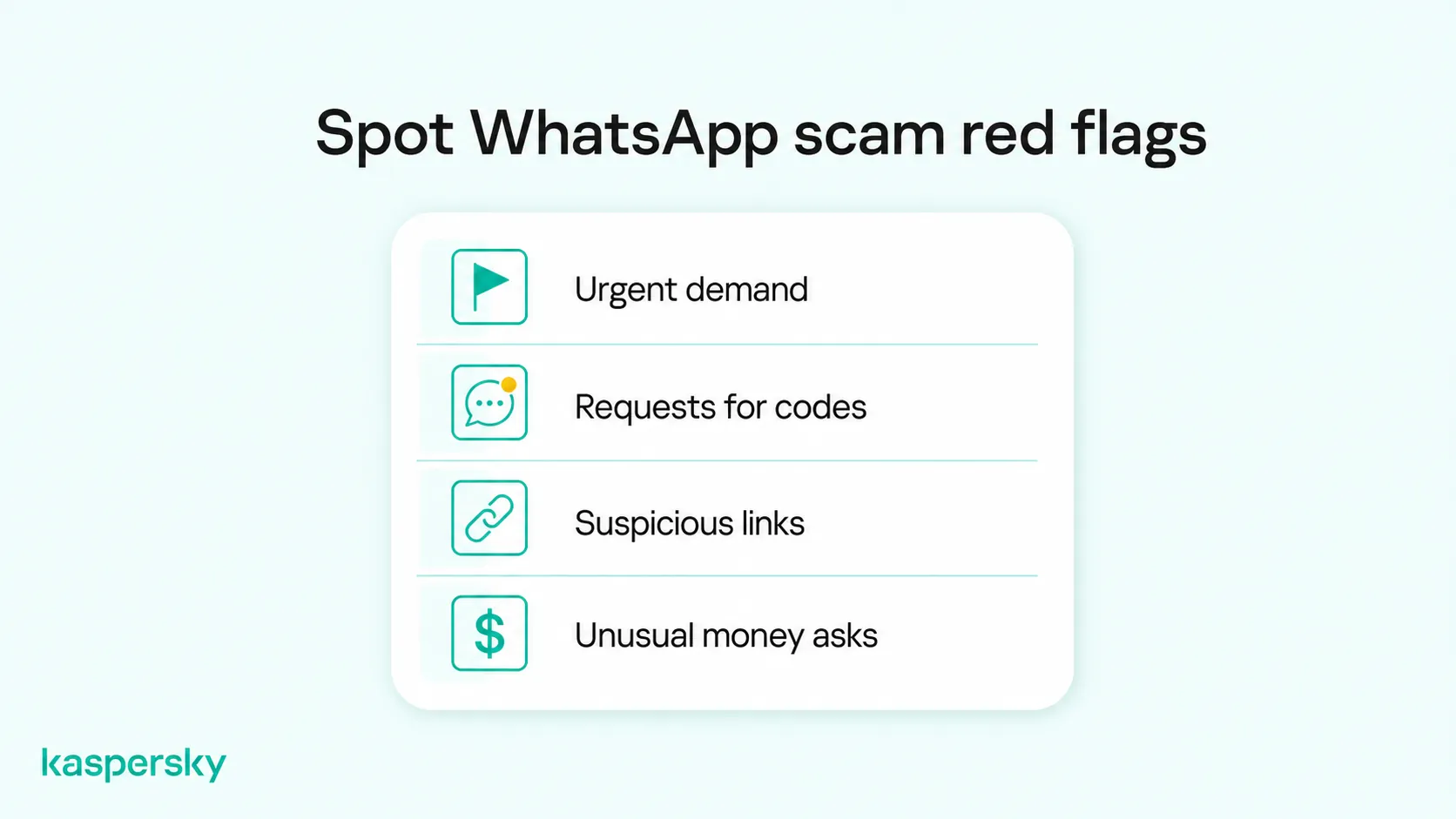
Watch out for these red flags:
- Urgent requests: The sender claims there is an emergency, threatens consequences, or insists you act immediately.
- Requests for sensitive information: Someone asks for verification codes, passwords, banking details, or other private information.
- Suspicious links or offers: A message contains an unfamiliar website, an unexpected download, or an offer that seems too good to be true.
- Unusual behavior from familiar contacts: Someone you know suddenly asks for money, changes their phone number, or makes a request that seems out of character.
A familiar profile picture, name, or personal detail does not prove that a message is genuine. Scammers may also use convincing voice messages or AI-generated audio to impersonate someone you trust.
Likewise, an international phone number or spelling mistake does not automatically indicate fraud. Focus on what the sender wants you to do rather than relying on a single warning sign.
What should you do if you encounter a WhatsApp scam?
If a WhatsApp message or call appears suspicious, stop interacting with the sender and do not share information, send money, click further links, or provide verification codes.
If the message claims to come from someone you know or an organization you trust, verify the request independently. Contact the person through a number you already have or reach the organization through its official website or app rather than using contact details supplied in the suspicious message.
You can also block and report suspicious contacts through WhatsApp. Open the chat, select the contact or number, and use the available Block and Report options. Reporting can provide WhatsApp with recent information from the conversation so it can review potentially abusive or fraudulent activity.
What to do next depends on what happened. The response varies depending on if you only opened a link or if you fully lost control of your account, or even sent money.
What if you clicked a suspicious link or shared personal information?
Simply opening a suspicious link does not automatically mean a device has been compromised. The level of risk depends on what happened afterwards.
If you entered a password or other login information, change the exposed credentials promptly and secure the affected account. Change reused passwords on other accounts as well and enable additional authentication where available.
If you downloaded software or an app from the site, use reputable security software to check the device for malware. Avoid entering sensitive credentials on a device that may still be compromised.
If card or banking information was submitted, contact the relevant bank or financial provider as soon as possible and monitor the account for unauthorized activity.
What if your WhatsApp account has been compromised?
If someone has taken over your WhatsApp account, open WhatsApp and register your phone number again. Enter the six-digit verification code sent by SMS or provided through a phone call.
Successfully verifying your phone number should disconnect another device that has registered your WhatsApp account as its primary account.
If WhatsApp asks for a two-step verification PIN you do not recognize, follow the available recovery instructions. Depending on your account settings, you may need to use a recovery email or wait before you can regain access.
Once you are back in your account, open WhatsApp's Linked Devices settings and log out any unfamiliar devices. Review your security settings and enable two-step verification if it is not already active.
Finally, warn your contacts that someone may have used your account to send fraudulent messages. Ask them to ignore any suspicious requests they received.
What if you've sent money to a WhatsApp scammer?
Contact the bank, payment provider, cryptocurrency platform, or other financial service used for the transaction immediately. Depending on the payment method and timing, the provider may be able to investigate or take steps to limit further losses. Reimbursement is not always guaranteed.
Preserve the WhatsApp conversation and any other details. This means phone number, payment details, receipts, transaction references, screenshots, and other evidence. Report the incident to the appropriate fraud or law-enforcement service in your country and to WhatsApp.
Be cautious of anyone who later claims they can recover the lost money for an upfront fee. Victims of fraud can be targeted again by fraudulent recovery services.
How can you protect yourself from WhatsApp scams?
Independently tested and awarded by the industry's leading labs.



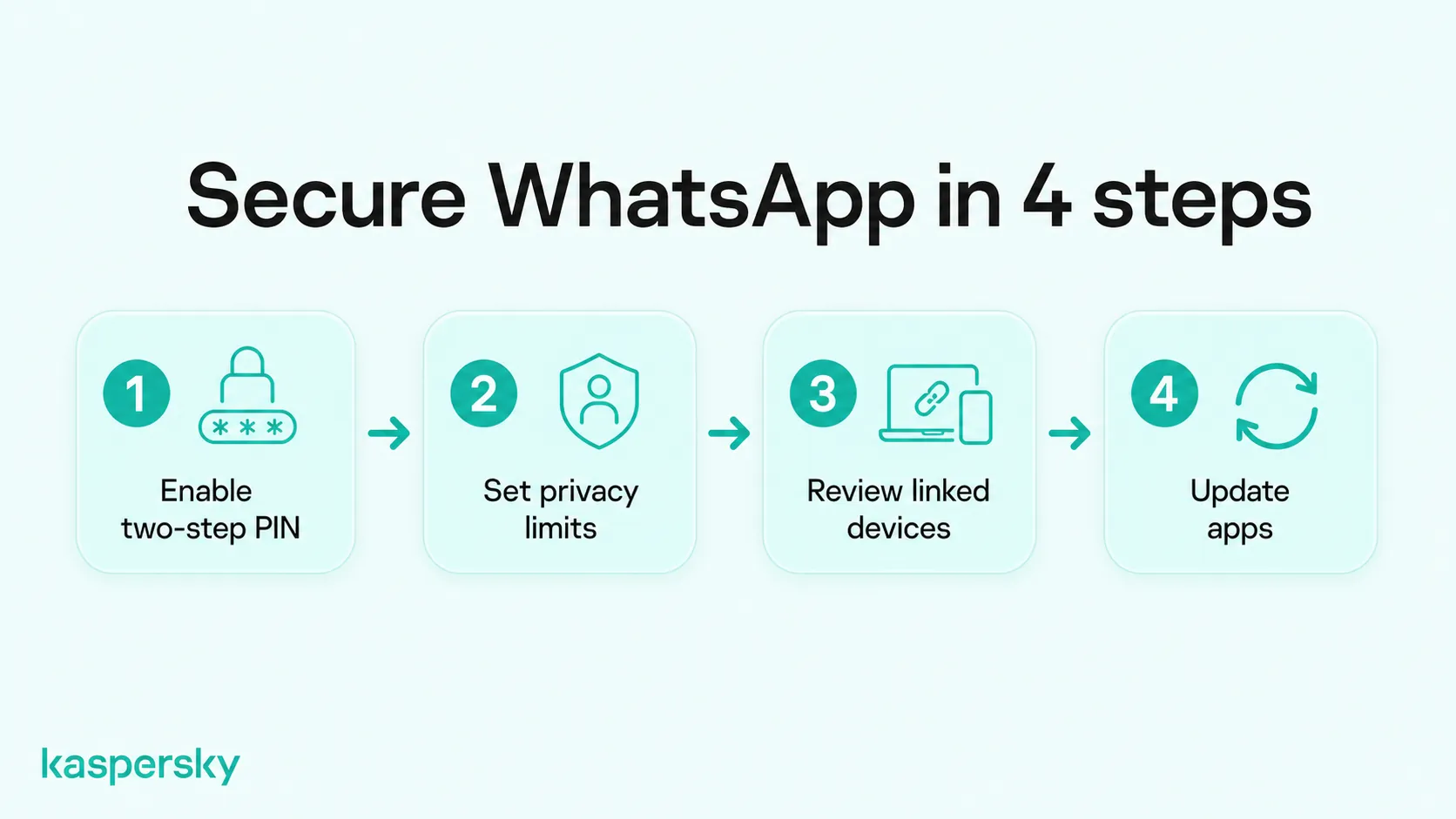
You can reduce your risk of WhatsApp scams by enabling two-step verification, reviewing your privacy settings, checking linked devices, and keeping your apps updated. These measures help protect your account and limit the information scammers can access.
- Enable two-step verification: Open WhatsApp and go to Settings > Account > Two-step verification. Follow the instructions to create a six-digit PIN and add a recovery email address. Never share your PIN or WhatsApp verification codes.
- Review your privacy settings: Go to Settings > Privacy to control who can see your profile photo, status, and other account information. Restrict unwanted group invitations where appropriate.
- Check linked devices: Open Settings > Linked Devices on iPhone or the three-dot menu > Linked Devices on Android. Review the list and log out any devices you do not recognize.
- Keep your software updated: Install updates for WhatsApp and your device's operating system. Download apps only from trusted sources and avoid unofficial WhatsApp versions.
Security software can provide another layer of protection. Kaspersky Premium can help detect supported phishing attempts, malicious websites, and malware that may be used alongside WhatsApp scams. However, no security application can reliably prevent every scam involving impersonation or social engineering.
Related Articles:
- What are scam websites and how to avoid scam websites?
- How to avoid data theft
- Sextortion Scams
- Learn more about what scammers can do with your phone number
Related Products:
FAQs
Why am I getting random WhatsApp messages from strangers?
Your number may have been exposed in a data breach, collected from a public source, generated automatically, or shared through another service. Scammers also send messages to large numbers of people to see which accounts are active.
Can you stop strangers from messaging you on WhatsApp?
Not completely. WhatsApp allows messages from numbers that are not saved in your contacts, but you can block and report unwanted senders and adjust privacy settings to limit what strangers can see about your account.
How do WhatsApp scammers know your personal information?
They may collect details from social media, data breaches, public records, people-search services, or previously compromised accounts. Several small pieces of information can be combined to make a scam message appear much more convincing.
Why do scammers want you to switch to WhatsApp?
Moving a conversation to WhatsApp can give scammers a direct channel where they can build trust, send links, make calls, or continue the conversation away from the original platform's controls. However, switching to WhatsApp alone does not prove that someone is a scammer. The context and behavior of the sender matter more.