When it's a few people and a few computers, the line between home and business is easy to ignore. Then you hire a new team member, add more devices, or start handling sensitive client data, and suddenly you're running a company on a product designed for a household.
Here's what your license permits, and how to tell when personal antivirus is no longer a good fit.
Is personal antivirus suitable for business use?
Personal antivirus may not be suitable for business use. Many consumer products are licensed for personal or home use, so using one for work may breach the license terms. It also gives you no way to check protection on devices other people are using.
Both paid and free consumer antivirus products may restrict commercial use. Because terms vary between vendors and products, check the license for the exact version you use. The wording varies between vendors, and even between products from the same vendor, so open the license for the exact version you are running and search it for 'commercial' or 'business'. If business use is excluded, you need a commercially licensed product.
- Personal antivirus licenses may restrict commercial use, so check the terms before installing one on work computers.
- Business products usually add a central console, where one person can see the protection status of every company device.
- Both types detect malware. What differs is the license and whether you can manage other people's devices.
- The need for business antivirus depends on your employees, devices, and security needs rather than a fixed company size.
- Free antivirus can protect against malware, but check whether it permits business use and provides the management features you need.
- Antivirus stops malware on the device. It will not patch your software, block a stolen password, or replace a backup.
What is the difference between personal and business antivirus?
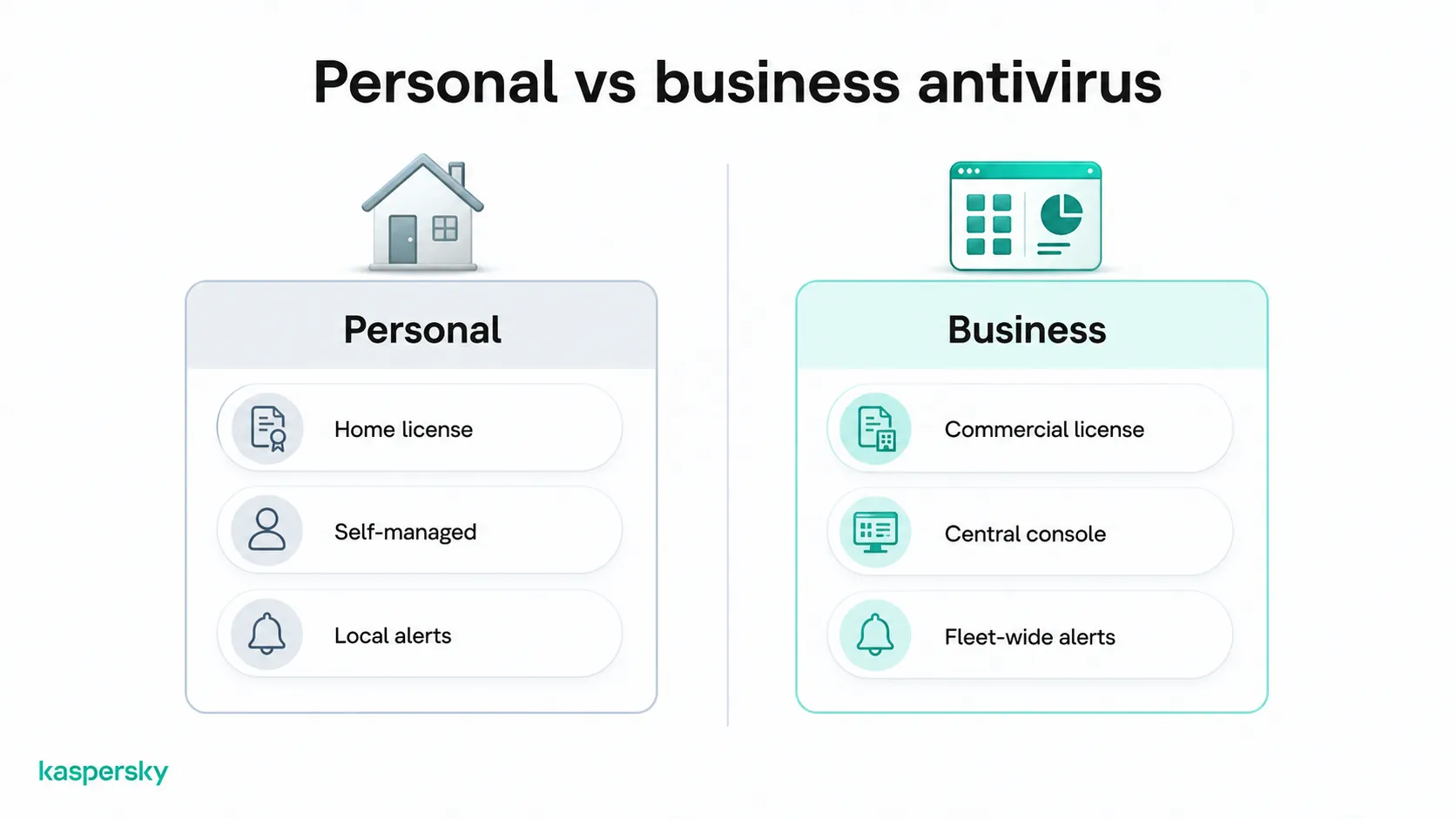
Personal antivirus is licensed for home use and built for one person looking after a handful of devices, while business antivirus, often sold as endpoint security, includes a commercial license and centralized management of company devices.
|
Personal antivirus |
Business antivirus |
|
|
License |
Home use, with commercial use often restricted |
Commercial use covered |
|
Managed by |
The person using the device |
One administrator, from a central console |
|
Devices |
A fixed number in one household |
Users and devices added as the company grows |
|
Visibility |
Alerts on the local machine |
Protection status and alerts across all devices |
|
Remote workers |
Each person changes their own settings |
Settings applied remotely by the administrator |
|
Core protection |
Malware, ransomware, phishing pages |
Malware, ransomware, phishing pages |
|
Support |
Consumer support channels |
Business support, often with faster response terms |
Why does centralized management matter for a business?
Centralized management lets one person protect every company device from a single console. They can see which machines are covered, apply a setting to all of them at once, and receive alerts from any device without needing to ask the user.
Looking after your own computer is simple because you see the alert and deal with it. Looking after several computers belonging to other people is a different job, because you cannot see their screens and staff may not mention a warning they dismissed. Without a console you have to check each machine by hand to confirm protection is on and up to date, and you only hear about a detection if the user tells you.
When does a small business need business antivirus?
A small business needs business antivirus when:
- You have employees: Once other people use company devices or accounts, you are responsible for protection you cannot see.
- Work is spread across several devices: Two laptops, a desktop and a phone that reads company email add up to four places a threat can land.
- Team members work remotely: Even devices that don’t often connect to the office network still need updates, scans and a way to report problems back.
- You hold sensitive business data: such as customer details, invoices, accounting records, contracts, saved credentials and shared files that have consequences if they leak.
- You cannot say which devices are protected: if you have renewal dates you cannot track and uncertainty about which machine is protected, a centralized solution will help.
One laptop with ransomware can encrypt every shared drive it connects to, and a stolen email password lets an attacker send your clients invoices with altered bank details. Even if no data is leaked, you still pay the price in downtime, damaged client trust, and days of recovery work that replace paid work.
Do freelancers and sole proprietors need business antivirus?
Freelancers and sole proprietors should use antivirus that permits commercial use, but they may not need the centralized management features designed for businesses with multiple employees and devices. With one device and no employees, there's nothing to manage centrally but the license must cover paid work and protect client data stored on the device.
The license is the part many people overlook. Home-use antivirus terms usually exclude commercial activity, no matter how small the business. Running a consumer product on the laptop you invoice clients from can technically breach the license, even though you're the only person using it.
Recovery matters more for you than for a larger company, because there is no IT team, spare machine or colleague to escalate to. A ransomware infection can make important client files, invoices, and contracts inaccessible and interrupt your work. Strong ransomware protection and tested backups can help reduce the impact and support recovery.
What about employees using personal devices for work?
Personal devices used for work also need appropriate security because they may access the same business accounts, files, and data as company-owned devices. A privately owned laptop or phone that reads company email, opens shared files or holds a saved login to your accounting software exposes the business if it is lost or infected.
Bring your own device, or BYOD, means staff use their own phones and laptops for company work. The employee owns the hardware and may have installed home antivirus on it, but the data belongs to the business and so does the risk. Antivirus they chose themselves gives you no license cover and no way to see whether it is running, and spyware on a personal phone captures the same credentials an attacker would look for on a company machine.
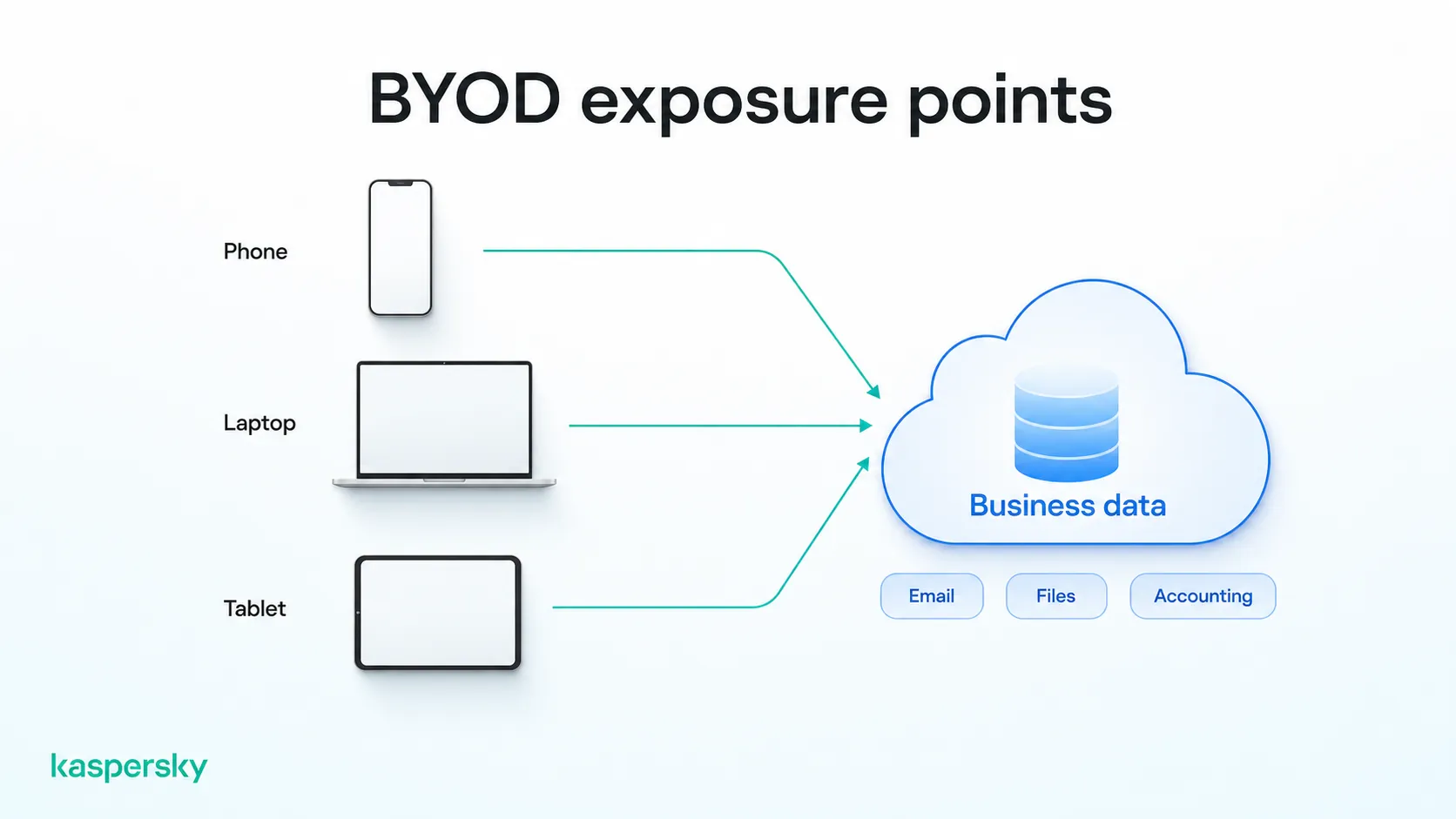
If employees use personal devices for work, check whether your security solution can protect those devices and whether its license covers this type of use. Check that the license permits this and how personal devices count towards your user total. Staff also need to agree, since it means business software running on hardware they own.
What should you look for in small business antivirus software?
The right antivirus for a small business depends on how many devices you have, where they are, and who is going to manage them.
When you compare small business security software, look for:
- A commercial license: confirm the terms cover business use for the number of people you employ, including any personal devices used for work.
- Central management: one console showing which devices are protected, with settings you can change remotely.
- Malware and ransomware protection: protection against common threats, including malicious files, websites, downloads, and ransomware.
- Cover for remote and mobile devices: laptops that rarely connect to the office network and phones used for work.
- Straightforward setup: deployment and everyday management should not require specialist security expertise or a large IT team.
- Automation: updates, scans and reports that are scheduled to run without you.
- Room to grow: adding a user or a device should be a licensing change, not a migration to a new product.
Independently tested and awarded by the industry's leading labs.


Is free antivirus suitable for a small business?
Free antivirus may not be suitable for a small business. Some free products restrict commercial use or lack centralized management features, even if their malware protection is effective.
Check the license and features of the specific product before using it for work. As you add employees or devices, individually managed antivirus can become harder to oversee, making centralized business protection increasingly useful.
Is antivirus enough to protect a small business?
Antivirus alone is not enough to protect a small business. It blocks known malware and many phishing pages, but it cannot fix a reused password, close an unpatched software vulnerability or restore files that weren't backed up.
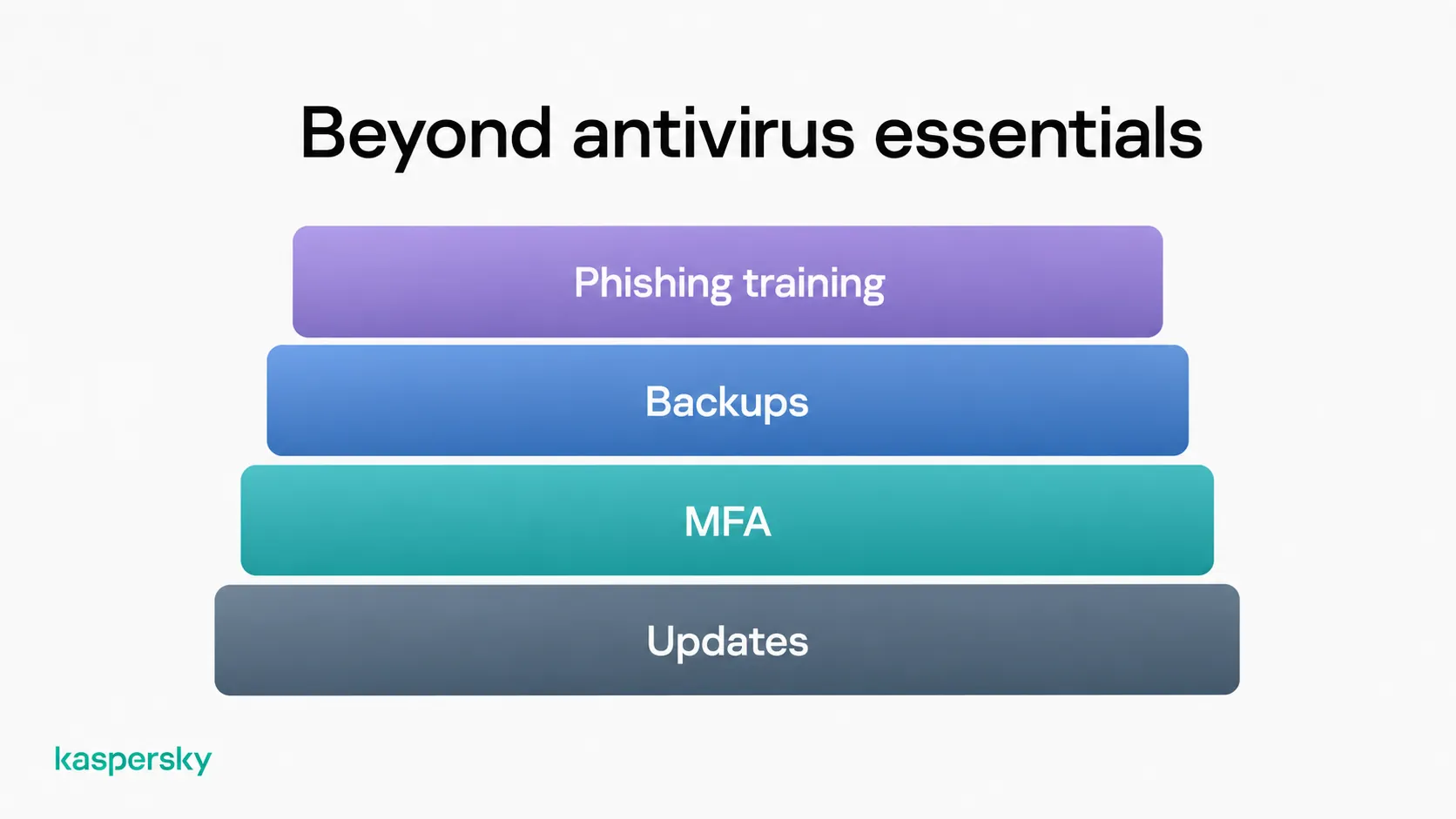
In addition to antivirus, a small business should:
- Keep the operating system and applications updated on every work device.
- Turn on multi-factor authentication for email, banking, accounting software and anything holding customer records.
- Back up business data, then restore a file from that backup every few months to confirm it works.
- Train employees to spot phishing, especially unexpected attachments, links asking for a login, and requests to change payment details that appear to come from a supplier or director.
Related Articles:
- How to simplify IT security for businesses without an IT team
- A comprehensive guide to small business cybersecurity
- Email security for small businesses
- Learn more about Why businesses need antivirus
Related Products:
- Try Kaspersky Small Office Security for Free
- Kaspersky Small Office Security
- Kaspersky Premium
- Download a free 30-day trial of our premium plan
FAQs
Can I use personal antivirus for my business?
Not usually. Most home antivirus is licensed for personal, non-commercial use, so installing it on a work computer may breach the terms, and it gives you no central control over employees' devices. Check the license for your product.
Do freelancers need business antivirus?
Not necessarily. Freelancers should use antivirus that permits commercial use, but centralized business management may be unnecessary if they only manage one device. Reassess your needs as you add employees or devices.
Can I use free antivirus for my small business?
It depends on the product. Check whether its license permits commercial use and whether it provides the protection and management features your business needs.
How many devices can business antivirus protect?
It depends on the product and license. Business antivirus is designed to support multiple work devices, so check how users and devices are counted and whether you can easily add coverage as your business grows.