Businesses of every size are targeted by scammers. It doesn’t matter if you are operating within a small start-up or large organisation. Cybercriminals are constantly embracing new techniques to target businesses. Understanding how modern business scams work and recognising the warning signs has become even more essential for every business.
- Business scams often rely on phishing, impersonation, and social engineering to steal money, data, or account credentials.
- Employees are a common target, making security awareness and verification procedures just as important as technical defences.
- AI is making scams more convincing, with realistic emails, fake websites, and even cloned voices used to deceive businesses.
- Strong passwords, multi-factor authentication, software updates, and trusted cybersecurity tools can help reduce the risk of cyber attacks.
- Always verify unexpected payment requests, changes to supplier details, or urgent instructions through a trusted communication channel before taking action.
What are business scams?
Business scams are attempts to trick organisations into handing over money or sensitive information. Scammers may also trick their way into access to company systems.
Many scams begin online through phishing emails, fake websites, malicious attachments, text messages, or compromised business accounts.
Modern business scams are closely linked to cybersecurity because criminals increasingly target digital systems rather than physical assets. A successful phishing email or stolen password can be enough to access crucial accounts or internal business systems.
Cybercriminals are also seeking to take advantage of the fact that more businesses rely on digital communication and cloud services. Gaining access can give scammers a lot of power.
Why are businesses increasingly targeted?
Businesses are attractive targets because they often have access to valuable assets and information that can be used against businesses. Even a relatively small business may process large payments or hold sensitive information that criminals can sell or use in further attacks.
Cybercriminals are also able to target organisations more efficiently than ever before. Automated phishing campaigns can send thousands of convincing emails in minutes. AI tools can generate realistic messages and even cloned voices to make scams appear more legitimate. It has become quicker for attackers to personalise their scams using information gathered online and find more targets.
No business is too small to be targeted. Large organisations offer bigger financial rewards and are more obvious targets. Yet small and medium-sized businesses are often attacked because they may have fewer cybersecurity resources and less formal or sophisticated security procedures.
What are the most common business scams?
Cybercriminals use incredibly varied and often creative techniques to target businesses. But many scams follow similar patterns. They often rely on impersonation or deception to convince employees or business owners to make an error.
Business email compromise (BEC)
Business email compromise (BEC) involves criminals impersonating executives or trusted partners to trick employees into making payments or sharing confidential information. Common examples include CEO fraud (where scammers pretend to be high-profile individuals) and supplier impersonation. They may use domains that are very similar to a legitimate site.
Business phishing scams and spear phishing
Phishing scams are fraudulent messages designed to steal credentials or install malware. Mass phishing targets large numbers of people with the same message. The more targeted spear phishing uses personalised information to target specific employees. These scams can arrive through email or other messaging platforms.
Fake invoices and payment fraud
Criminals may send fake invoices or intercept genuine ones before changing the payment details. Businesses may unknowingly transfer money directly to scammers under the illusion they are simply paying a routine invoice.
Tech support and software scams
Some attackers pose as IT support staff or software providers. They may say a device has a problem that needs urgent attention to build urgency. They may request remote access or encourage employees to install fake updates or harmful software.
Ransomware and malware scams
Malicious links, attachments, and software downloads can infect business devices with malware or ransomware. These attacks may steal sensitive data, encrypt files, disrupt operations, and lead to significant recovery costs.
AI-powered scams
Artificial intelligence is making many existing scams more convincing. Criminals can use AI to generate realistic phishing emails and even deepfake calls that appear to come from trusted colleagues or business contacts. AI technology has made it harder to spot some of the telltale signs of a scam from days gone by. People can use AI to make their messages grammatically correct and to seem realistic.
How do business scammers operate?
Most business scams don't begin by exploiting software. They begin by exploiting people. Cybercriminals use clever psychological techniques and technology to appear trustworthy and persuade employees to take actions they normally wouldn't.
Social engineering
Social engineering is the practice of manipulating people into revealing information or granting access to systems. Attackers often create a sense of urgency or use fear to pressure employees into acting without verifying the request. They may also impersonate a manager, executive, or other authority figure and imply that there will be consequences if the employee does not comply.
Others rely on familiarity by pretending to be a colleague or customer. A convincing scam can succeed if someone trusts the message.
Using publicly available information
Many attackers research their targets before launching a scam. There are so many ways that people now share information on work history and personal details. Think of what people might learn from a Facebook or LinkedIn profile. This allows for personalisation that can make communications appear much more legitimate.
Compromised accounts and stolen credentials
Stolen usernames and passwords remain one of the easiest ways for attackers to gain access to business systems. Credentials may be stolen through phishing attacks and malware. There are even reused passwords available on the black market which have been exposed in previous data breaches.
How can you recognise a business scam?
Many business scams follow similar patterns regardless of how they're delivered. Learning to recognise the warning signs can help employees identify suspicious requests before money is lost or systems are compromised. Businesses often try to create a real culture of safety and awareness of scams to stop any breaches.
Warning signs to watch for
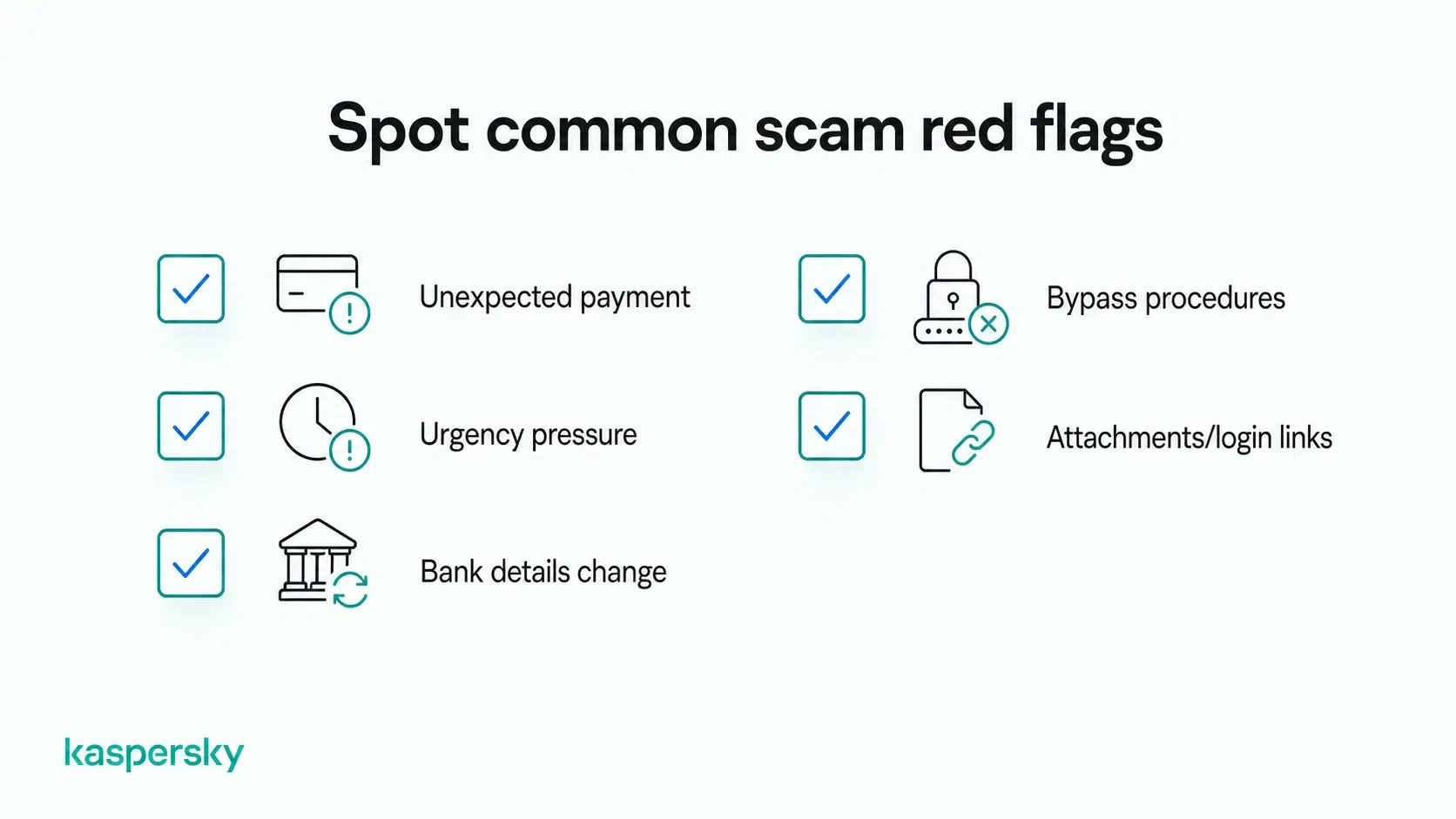
Watch out for these common signs that a message or request may be part of a business scam:
- Unexpected payment requests. Especially if they arrive without warning or don't follow the usual process.
- Pressure to act quickly with claims that immediate action is needed to avoid a problem or meet an urgent deadline.
- Changes to supplier bank details when you're asked to send future payments to a new account.
- Requests to bypass normal procedures (skipping approval steps or keeping the request confidential).
- Unexpected attachments or login pages if you're asked to open a file or sign in using a link in an email or message.
 None of these warning signs automatically mean a message is fraudulent. They should prompt additional checks before any money is transferred or files are opened.
When legitimate messages can still be dangerous
Not every scam comes from an unfamiliar email address. Criminals sometimes compromise genuine business accounts or use email spoofing to make messages appear as though they've come from a trusted source.
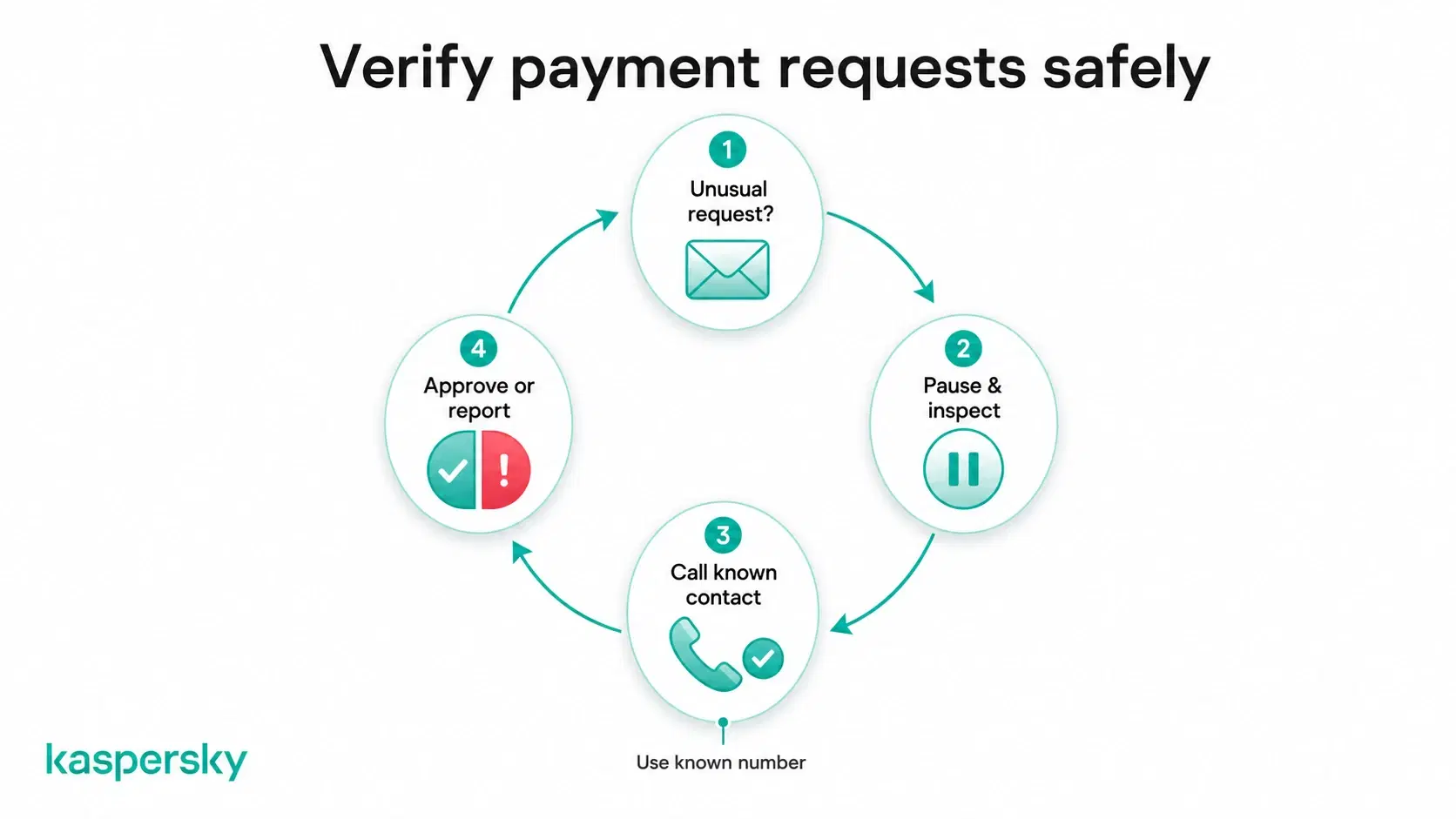
It's important not to rely entirely on the sender's name or email address. If a request involves money or unusual instructions, verify it through a trusted communication channel, such as a known phone number or an existing contact.
How can businesses prevent scams?
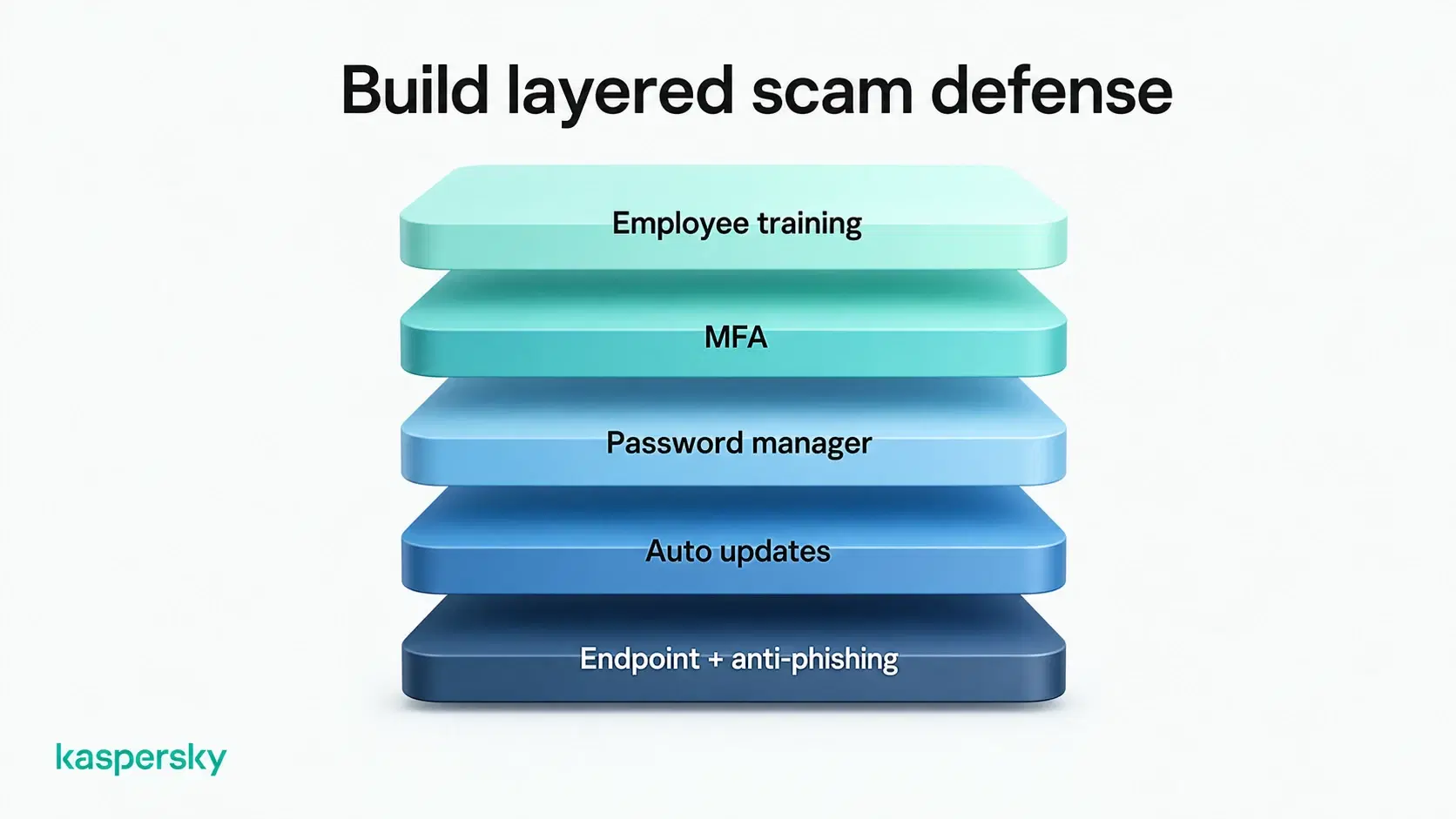
The best defence against business scams is a combination of awareness and security practices plus technology. Businesses should build multiple layers of protection that reduce the chances of a scam succeeding.
Train employees
Employees are often the first line of defence against phishing emails and other business scams. Regular cybersecurity awareness training helps staff recognise suspicious messages or scam tactics and respond appropriately.
Employees should feel comfortable reporting anything unusual without worrying about blame if it turns out to be a false alarm. Many top companies have methods for their staff to report potential issues.
Secure accounts
Protect business accounts with strong, unique passwords, multi-factor authentication (MFA), and a trusted password manager. Change passwords immediately if there is reason to believe they have been compromised. Email accounts deserve particular attention because they are frequently targeted by cybercriminals and can provide access to other business systems and services.
Verify payments
Never rely solely on an email when authorising payments or changing supplier bank details. Verify requests through an independent communication channel like a known telephone number. Use documented approval processes for bigger financial transactions.
Update software
Keeping software up to date helps close security vulnerabilities that attackers may try to exploit. Enabling automatic updates where possible can help ensure critical security patches aren't missed.
Use security software
Reliable software provides an important layer of protection by detecting malware and identifying suspicious activity before it causes damage. A layered approach that combines endpoint protection with anti-phishing technology and other forms of online protection can significantly reduce the risk of successful cyber attacks.
Secure Your Business from Online Scams
Protect your business devices, financial data, and employees with Kaspersky Small Office Security. Start your free trial and experience business-grade security today.
Start Your Free TrialBusiness fraud protection: What to do if your business is targeted?
Acting quickly after an error or suspected attack can help reduce the damage. The exact response will depend on the type of incident. These immediate steps can help limit the impact.
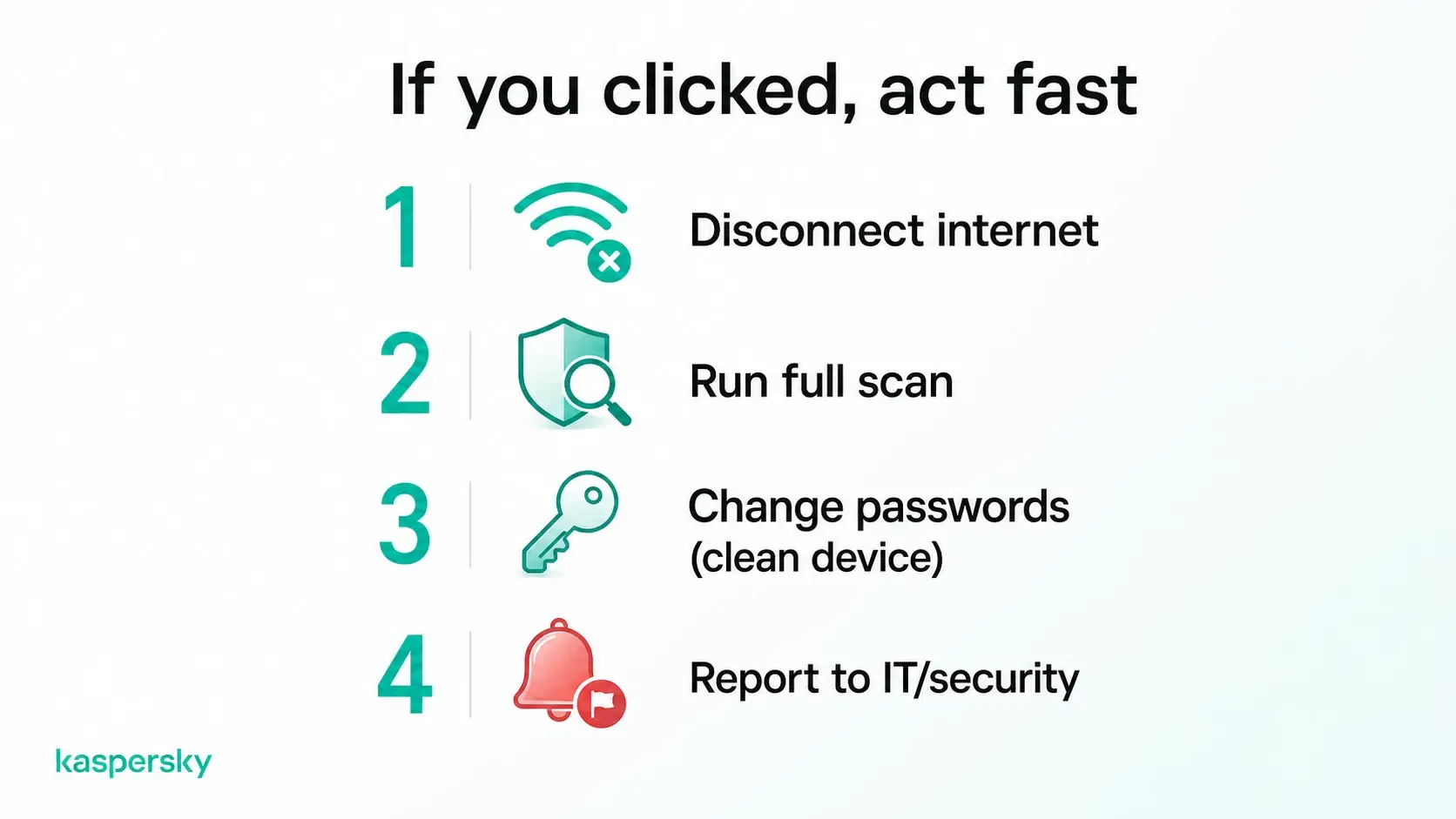
If someone clicked a suspicious link
- Disconnect the affected device from the internet if you believe it has been compromised.
- Run a full security scan using trusted security software.
- Change any potentially compromised passwords from a clean and trusted device.
- Inform your IT team or security provider so they can investigate further.
If money has already been transferred
- Contact your bank immediately to report the fraudulent transaction.
- Notify the relevant internal teams (this could be IT and management).
- Preserve emails, invoices, and other evidence that may help with the investigation.
- Continue monitoring accounts for any further suspicious activity.
Report the incident
- Report the scam internally so other employees can be alerted.
- Notify law enforcement or your national cyber authority where appropriate.
- Reporting scams can help investigators identify criminal activity and reduce the risk of others becoming victims.
How AI is changing business scams
Artificial intelligence is making many existing scams harder to spot. Criminals can now produce convincing emails, deepfakes, and fake websites in minutes, allowing them to target more businesses with less effort and fewer obvious mistakes.
Deepfakes and voice cloning
AI can be used to clone voices or generate realistic video and audio that appears to come from a trusted executive or even a supplier. Criminals may use these deepfakes to create urgent payment requests or convince employees to share confidential information.
This means that it's important not to rely on a familiar voice or face alone. Always verify unusual financial requests or sensitive instructions through a trusted communication channel before taking action.
Smarter phishing attacks
Traditional business phishing emails were often easy to recognise because they contained spelling mistakes or awkward wording. AI tools can now produce messages that sound natural and closely imitate the writing style of legitimate businesses.
Behaviour is often a better warning sign than language. Unexpected requests and urgent requests for passwords or sensitive information should all be treated with extreme caution.
Building a long-term defence against business scams
Preventing business fraud and scams isn't a one-time task. Cybercriminals continually adapt their tactics. This means that businesses need to review their security practices regularly and ensure employees remain prepared for new threats. Building long-term resilience means combining technology and a workplace culture where security is everyone's responsibility.
Create a security-first culture
A strong security culture helps employees make safer decisions every day. Review cybersecurity policies regularly and encourage staff to question unusual requests.
Many businesses make it standard practice to verify payments or requests for sensitive information before taking action. Scams are more likely to be identified before they cause harm if employees have a strong knowledge of security.
Prepare for future threats
Business scams will continue to evolve as technology changes. Regular employee training, software updates, security reviews, and modern cybersecurity tools can help organisations keep pace with emerging threats. Businesses put themselves in the strongest position by regularly improving security practices rather than reacting after an incident.
Related Articles:
- How can you protect yourself from online banking theft?
- What are effective phishing prevention tips for businesses?
- How to prevent cyberattacks in your organization effectively?
- Learn more about Top scams how to avoid becoming a victim
Related Products:
- Kaspersky Small Office Security
- Try Small Office Security for Free
- Download a free 30-day trial of our Premium plan
FAQs
What is the most common business scam?
Phishing is one of the most common business scams. It aims to steal credentials, install malware, or trick employees into making payments.
How do scammers target small businesses?
Scammers often use phishing emails, fake invoices, and impersonation scams, knowing smaller businesses may have fewer security controls.
Can antivirus stop business scams?
Antivirus helps block malware. It can't prevent every phishing or social engineering attack. Employee awareness is also essential.
How can employees identify phishing emails?
Look for unexpected requests, urgent language, suspicious links, and unusual attachments. If in doubt, verify the request through a trusted contact.